In the last post, some examples of 2D mapped meshing are given. Here we are going to look at some examples of 3D mapped meshing. Similar to 2D mapped meshing, the strategy is straightforward: divide the domain in such a way that all the subdomains meet certain requirements, specify the element size or the number of divisions, and mesh the domain.
As for the certain requirements (see Figure 1):
- The volume must take the shape of a brick (bounded by six areas), wedge or prism (five areas), or tetrahedron (four areas).
- The volume must have equal numbers of element divisions specified on opposite sides, or have divisions matching one of the transition mesh patterns for hexahedral meshes.
- The number of element divisions on triangular areas must be even if the volume is a prism or tetrahedron.
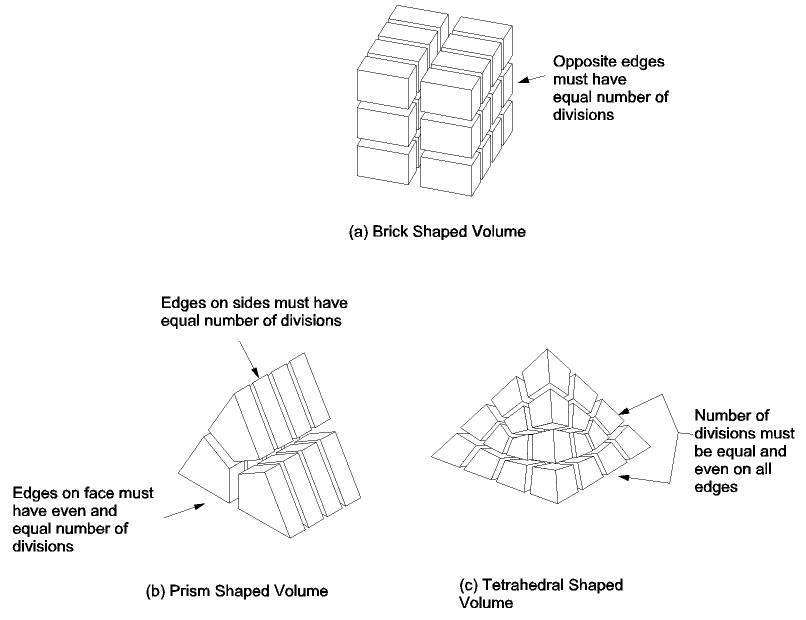
Figure 1. Examples of element divisions for mapped volume meshing (figure from ANSYS Help Reviewer).
For dividing the volume, commands like VSBW and VPTN are useful. To make the subdivisions apt for mapped meshing, ACCAT is frequently used. To specify element size, ESIZE and LESIZE are used.
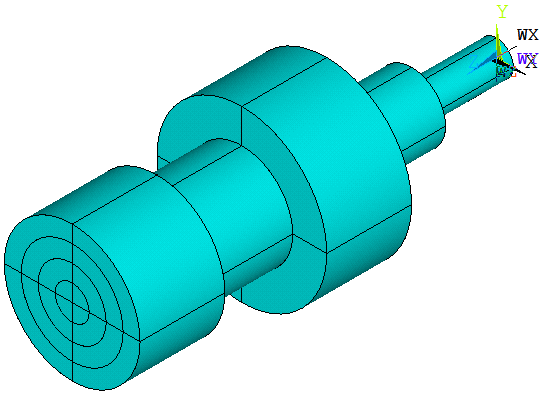
1. A concentric shaft
FINISH
/CLEAR
/PREP7
CYLIND,50,0,100,150
CYLIND,40,0,200,250
CYLIND,30,0,100,250
CYLIND,20,0,50,250
CYLIND,10,0,0,250
VPTN,ALL
WPROTA,,,90
VSBW,ALL
WPROTA,,90
VSBW,ALL
ET,1,95
CSYS,1				!activates cylindrical coordinate system
LSEL,S,LENGTH,,50	!select all lines in the axial direction
LESIZE,ALL,,,5
LSEL,INVE
LSEL,U,RADIUS,,10,50	!only lines in radial direction are left
LESIZE,ALL,,,4
!define several parameters controlling the number of divisions of arcs
N1=6
N2=6
N3=8
N4=10
N5=12
LSEL,R,LOC,X,0,10
LESIZE,ALL,,,N1,,1
LSEL,S,RADIUS,,10
LESIZE,ALL,,,N1
LSEL,S,RADIUS,,20
LESIZE,ALL,,,N2
LSEL,S,RADIUS,,30
LESIZE,ALL,,,N3
LSEL,S,RADIUS,,40
LESIZE,ALL,,,N4
LSEL,S,RADIUS,,50
LESIZE,ALL,,,N5
ALLSEL
MSHAPE,0,3D
MSHKEY,1
VMESH,ALL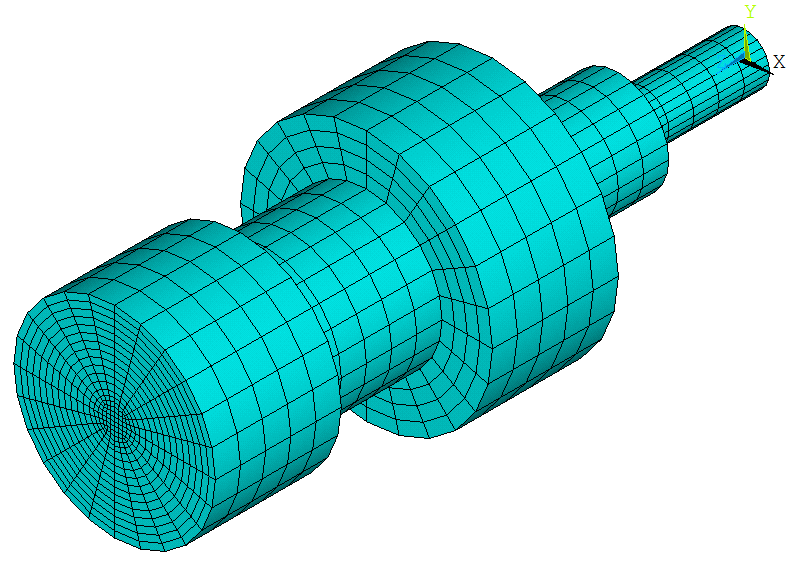
When N1=N2=N3=N4=N5=6
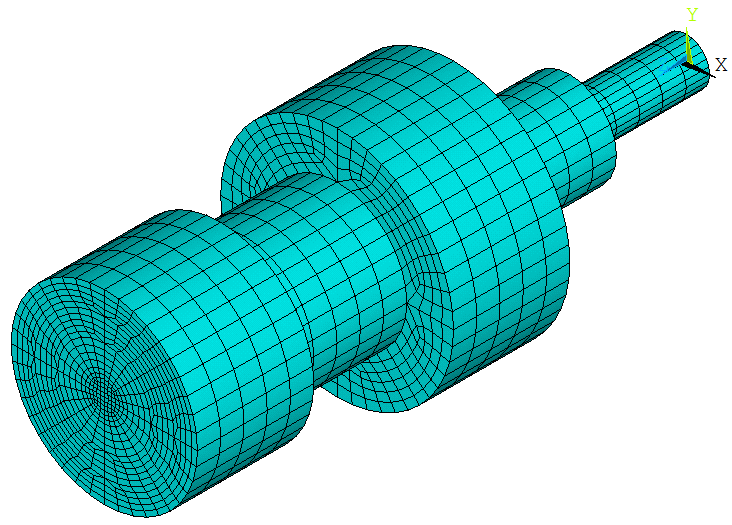
When N1=N2=6, N3=8, N4=10, N5=12 (transition mapped hexahedral meshing)
2. Cube-cylinder
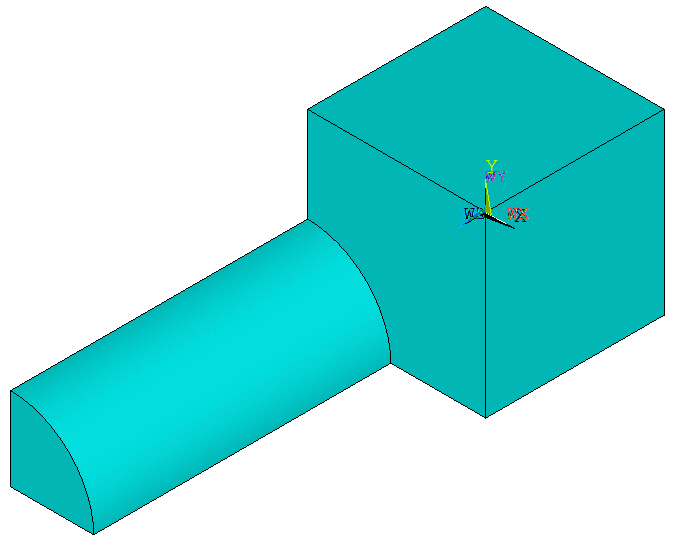
1/4 volume
FINISH
/CLEAR
/PREP7
A0=30
H1=15
H2=25
R0=7
BLC4,,,A0/2,A0/2,H1
CYL4,,,R0,,,90,H1+H2		!generate the 1/4 volume
VPTN,ALL
ET,1,95
ESIZE,3
MSHAPE,0,3D
MSHKEY,1
ACCAT,4,6					!concatenate areas 4 and 6
VMESH,ALL
ASEL,S,ACCAT
ADELE,ALL
LSEL,S,LCCA
LDELE,ALL
ALLSEL
VSYMM,X,ALL
VSYMM,Y,ALL
NUMMRG,ALL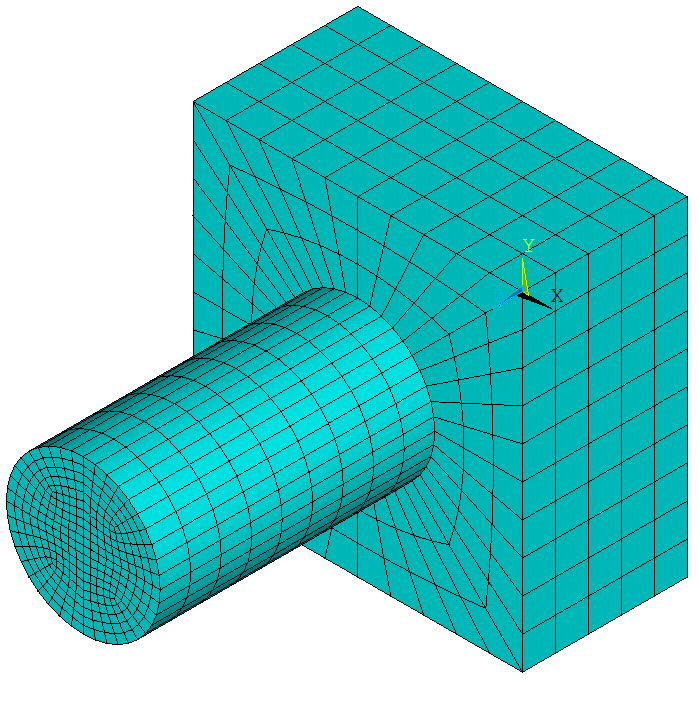
FINISH
/CLEAR
/PREP7
A0=30
H1=15
H2=25
R0=7
BLC4,,,A0/2,A0/2,H1
CYL4,,,R0,,,90,H1+H2		!generate the 1/4 volume
VPTN,ALL
LSEL,S,RADIUS,,R0
LSEL,A,LENGTH,,R0
LESIZE,ALL,,,6
LSEL,S,LOC,Z,0
LSEL,A,LOC,Z,H1
LESIZE,ALL,,,7
ASEL,S,LOC,X,A0/2
ASEL,A,LOC,Y,A0/2
ACCAT,ALL
ALLSEL
ET,1,95
ESIZE,3
MSHAPE,0,3D
MSHKEY,1
VMESH,ALL
ASEL,S,ACCAT
ADELE,ALL
LSEL,S,LCCA
LDELE,ALL
ALLSEL
VSYMM,X,ALL
VSYMM,Y,ALL
NUMMRG,ALL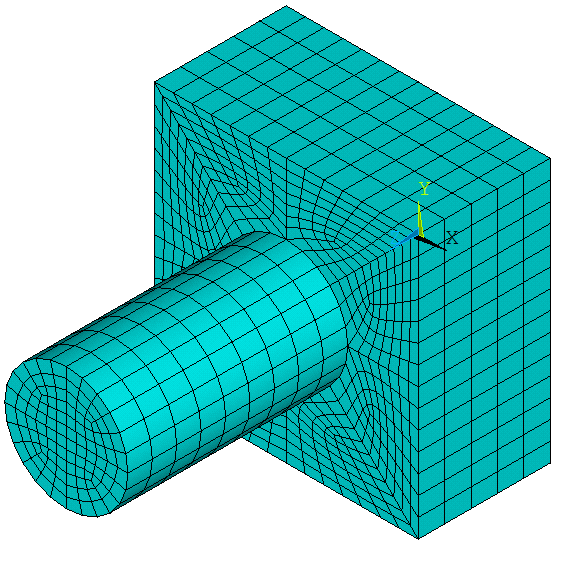
Transition mapped hexahedral meshing
3. A dented cylinder
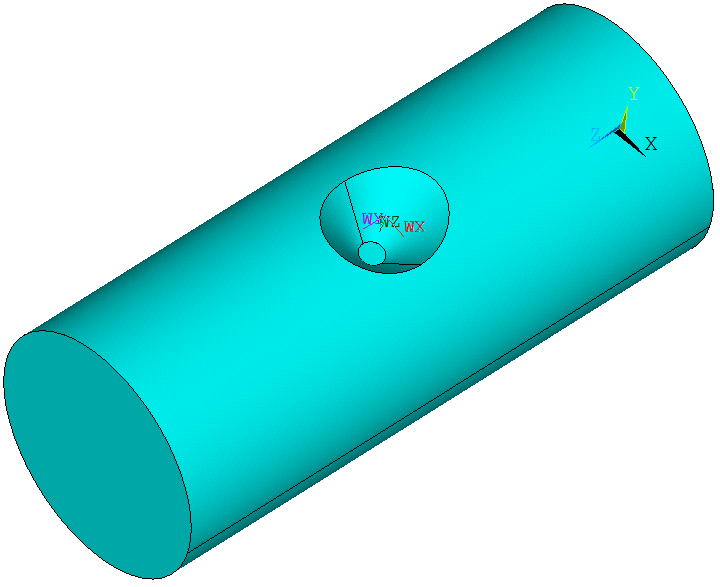
FINISH
/CLEAR
/PREP7
L0=50
R0=10
R1=5
R2=1
H0=5
CYL4,,,R0,,,,L0
WPAVE,0,R0,L0/2
WPROTA,,90
CON4,,,R1,R2,H0		!generate the cone
VSBV,1,2
!cut the volume:
WPROTA,,90
VSBW,ALL
WPOFFS,,,R1+3
VSBW,ALL
WPOFFS,,,-2*(R1+3)
VSBW,ALL
WPROTA,,,90
VSBW,ALL
WPOFFS,,,R1+1
VSBW,ALL
WPOFFS,,,-2*(R1+1)
VSBW,ALL
WPCSYS,-1
WPROTA,,90
VSBW,ALL
WPOFFS,,,-R1
VSBW,ALL
WPOFFS,,,2*R1
VSBW,ALL
WPCSYS,-1
NUMCMP,ALL
!generate a cone face and cut the volume:
KSEL,S,LOC,Z,L0/2
KSEL,R,LOC,X,0
KSEL,U,LOC,Y,0
*GET,KP1,KP,0,NUM,MIN
KP2=KPNEXT(KP1)
KSEL,S,LOC,Z,L0/2+R2
*GET,KP3,KP,0,NUM,MIN
ALLSEL
K,1000,,-R0,L0/2+5
L,KP3,1000
ASEL,NONE
*GET,L1,LINE,0,NUM,MAX
AROTAT,L1,,,,,,KP1,KP2
CM,A1CM,AREA
ALLSEL
VSBA,ALL,A1CM
!concatenate areas for mapped meshing:
VSEL,S,LOC,Z,17,33
VSEL,R,LOC,X,-6,6
ASLV,S
APLOT
ACCAT,128,61
ACCAT,160,138
ACCAT,224,202
ACCAT,183,35
ACCAT,31,134
ACCAT,151,164
ACCAT,215,231
ACCAT,82,195
ACCAT,130,5
ACCAT,162,145
ACCAT,229,209
ACCAT,192,89
ACCAT,12,123
ACCAT,117,155
ACCAT,109,219
ACCAT,14,178
!
ET,1,SOLID45
MSHAPE,0,3D
MSHKEY,1
ESIZE,1
ALLSEL
VMESH,ALL
Cut the volume
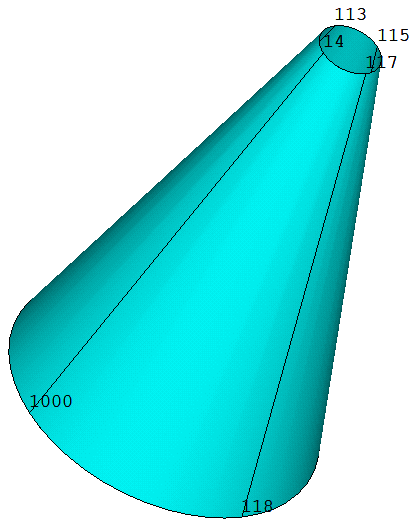
The generated cone area
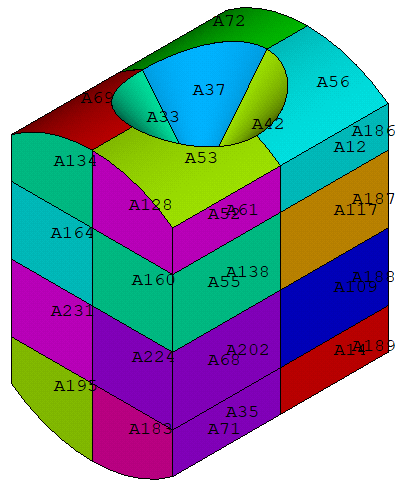
Display area numbers for ACCAT
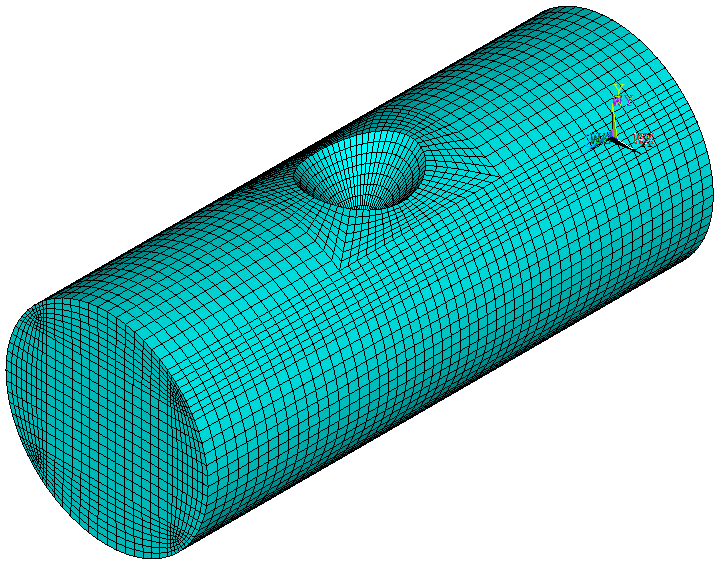
The mesh
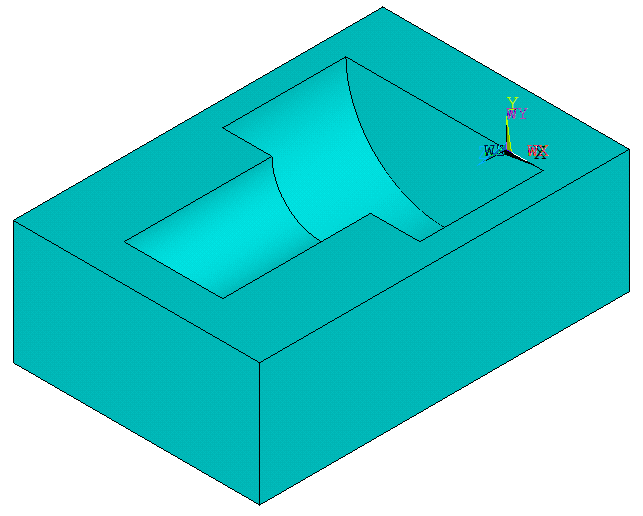
4. A hexahedron with a cylindrical groove
FINISH
/CLEAR
/PREP7
!generate the volume:
BLC5,,,20,10,30
WPOFFS,,5,5
CYL4,,,8,,,,10
WPOFFS,,,10
CYL4,,,4,,,,12
VSEL,S,,,2,3
CM,V1CM,VOLU
ALLSEL
WPCSYS,-1
VSBV,1,V1CM
!partition the volume:
VOFFST,15,5
VOFFST,16,3
VOFFST,17,15
VPTN,ALL
!divide the volume using work plane:
WPROTA,,,90
VSBW,ALL
WPCSYS,-1
WPOFFS,,,5
VSBW,ALL
WPOFFS,,,10
VSBW,ALL
WPOFFS,,,12
VSBW,ALL
!mesh the source area and target area:
ET,1,MESH200,7
ESIZE,2
MSHAPE,0,2D
MSHKEY,1
ASEL,S,LOC,Z,30
LCCAT,6,74
LCCAT,8,68
AMESH,ALL
ASEL,S,LOC,Z,0
LCCAT,3,73
LCCAT,1,67
AMESH,ALL
!mesh:
ALLSEL
ET,2,SOLID95
MSHAPE,0,3D
MSHKEY,1
VSWEEP,ALL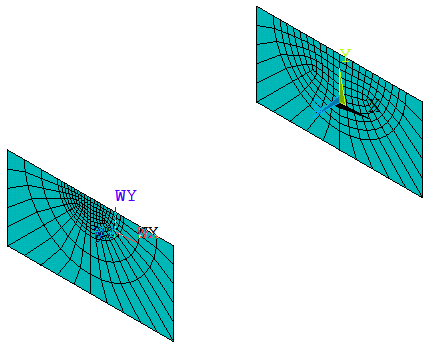
Mesh the source area and target area
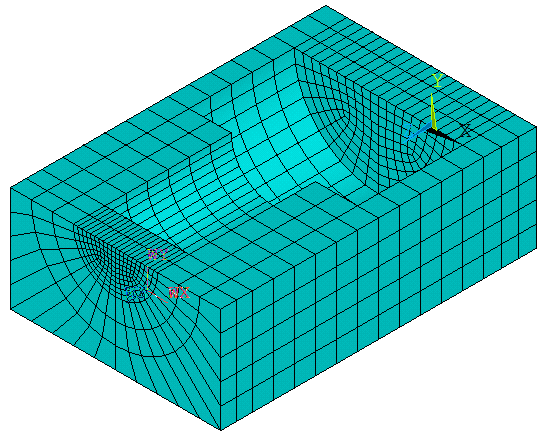
Sweep mesh
 Xutao Sun
hi sir, thankyou for everything from bottom of my heart for providing to my learning.
LikeLike