We have discussed multiple examples of contact analysis so far. In this post, we are going to investigate a pipe-clamp assembly. By using a pretensioned bolt, the clamp holds the pipe firmly (see the following figure). If the pretension is insufficient, slipping would happen between the pipe and clamp. If the pretension is too large, the pipe may undergo plastic deformation. Therefore, it is necessary to analyze the stress and deformation of the pipe when it is clamped.
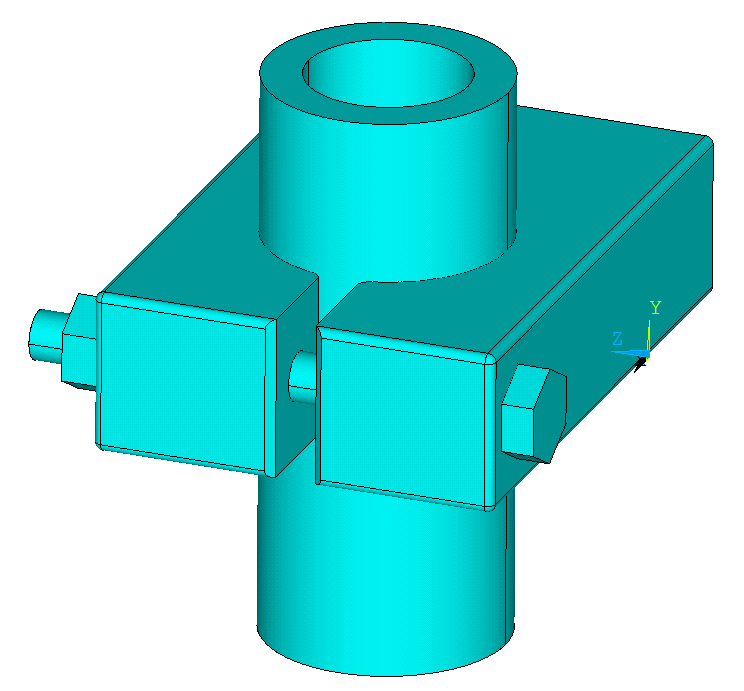
One challenge of this example is the simulation of the contact between the pipe and clamp, between the bolt head and clamp, and between the nut and clamp. The other challenge is the application of pretension in the bolt.
An example of a bolted flange connection was posted previously. These two examples are very similar regarding the above two challenges, although the geometry of the previous example is more complicated. In this example, the geometry was created using UG (Unigraphics), then the x_t file was imported to ANSYS Mechanical through GUI. I tried to attach the x_t file to this post but the file type is not supported on the server. But I will show the APDL after constructing the geometry.
Free meshing (SMRTSIZE) and tetrahedral-shaped SOLID186 elements were used to discretize the model. The mesh is shown in the following figure. Using a level of 5 for smart sizing, the model was discretized into 179116 elements. The computation time was about 22 minutes. As shown in the mesh, it might not be a good idea to include chamfers when creating the geometry.
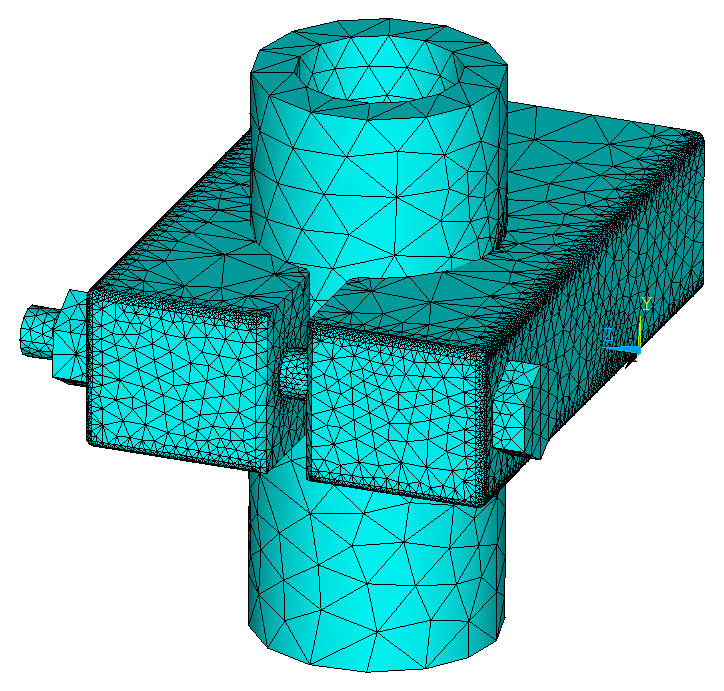
The GUI and APDL of this example are given as follows:
GUI: Utility Menu>File>Change Jobname>type in PIPECLAMP
GUI: File>Import>PARA>select the .x_t file
GUI:PlotCtrls>Style>Solid Model Facets>select Normal Faceting
APDL:
/PREP7ET,1,186MP,EX,1,2E11MP,NUXY,1,0.3MP,DENS,1,7850MP,MU,2,0.4 !define the coefficient of friction as the 2nd material!glue bolt and nutVGLUE,3,4!meshMSHAPE,1,3DMSHKEY,0SMRTSIZE,5 VMESH,ALL!create and mesh pretension sectionPSMESH,1,B100,,VOLU,6,0,Z,,4488,,,B_100 !create the contact between pipe and clampASEL,S,,,33,36,3CM,PC_TAR,AREAASEL,S,,,7CM,PC_CON,AREAALLSELMAT,2R,1REAL,1ET,3,TARGE170ET,4,CONTA174KEYOPT,4,9,0CMSEL,S,PC_TARTYPE,3NSLA,S,1ESLN,S,0ESURF,ALLALLSELCMSEL,S,PC_CONTYPE,4NSLA,S,1ESLN,S,0ESURF,ALLALLSEL!create the contact between bolt head and clampASEL,S,,,10CM,HC_TAR,AREAASEL,S,,,49CM,HC_CON,AREAALLSELMAT,2R,2REAL,2ET,5,170ET,6,174KEYOPT,6,9,0CMSEL,S,HC_TARTYPE,5NSLA,S,1ESLN,S,0ESURF,ALLALLSELCMSEL,S,HC_CONTYPE,6NSLA,S,1ESLN,S,0ESURF,ALLALLSEL!create the contact between nut and clampASEL,S,,,9CM,NC_TAR,AREAASEL,S,,,59CM,NC_CON,AREAALLSELMAT,2R,3REAL,3ET,7,170ET,8,174KEYOPT,8,9,0CMSEL,S,NC_TARTYPE,7NSLA,S,1ESLN,S,0ESURF,ALLALLSELCMSEL,S,NC_CONTYPE,8NSLA,S,1ESLN,S,0ESURF,ALLALLSEL!settings for solution/SOLUALLSELLSCLEAR,ALLANTYPE,0AUTOTS,1NSUBST,25,100,1RESCONTROL,,NONE,NONEOUTRES,ALL,ALLEQSLV,PCGTIME,15!define boundary conditionsASEL,S,,,37NSLA,S,1D,ALL,ALLALLSEL!load step 1: apply pretension to boltSLOAD,1,PL01,LOCK,FORC,1000,1,2!apply constraintsASEL,S,,,48NSLA,S,1D,ALL,UZALLSELLSWRITE,1!load step 2: the displacement value resulting from the pretension force is lockedLSWRITE,2!solveLSSOLVE,1,2,1!post-processing/POST1SET,LASTPLNSOL,S,EQV,0,1VSEL,S,,,5,6,1ESLV,SPLNSOL,S,EQV,0,1VSEL,S,,,6 !eqv stress of the boltESLV,SPLNSOL,S,EQV,1,1VSEL,S,,,2 !eqv stress of the pipeESLV,SPLNSOL,S,EQV,1,1ALLSELPLDISP,1 !overall deformation

The equivalent stress of the bolt and nut.

The equivalent stress of the bolt.
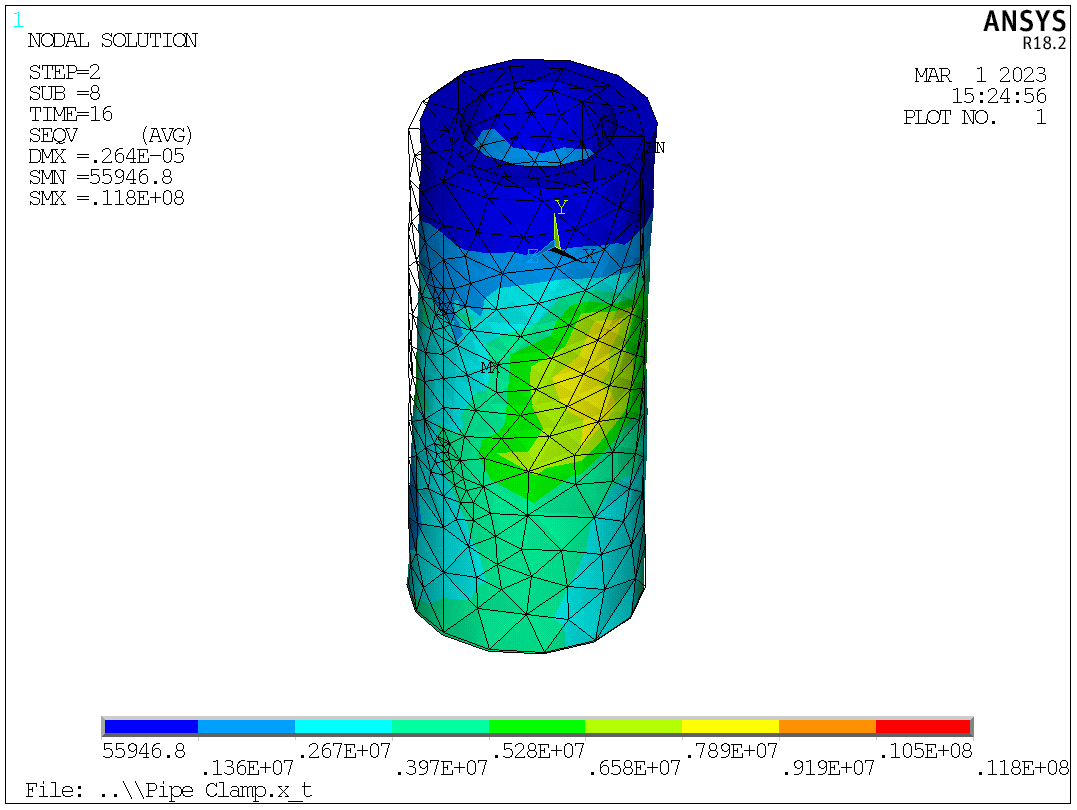
The deformation and equivalent stress of the pipe.
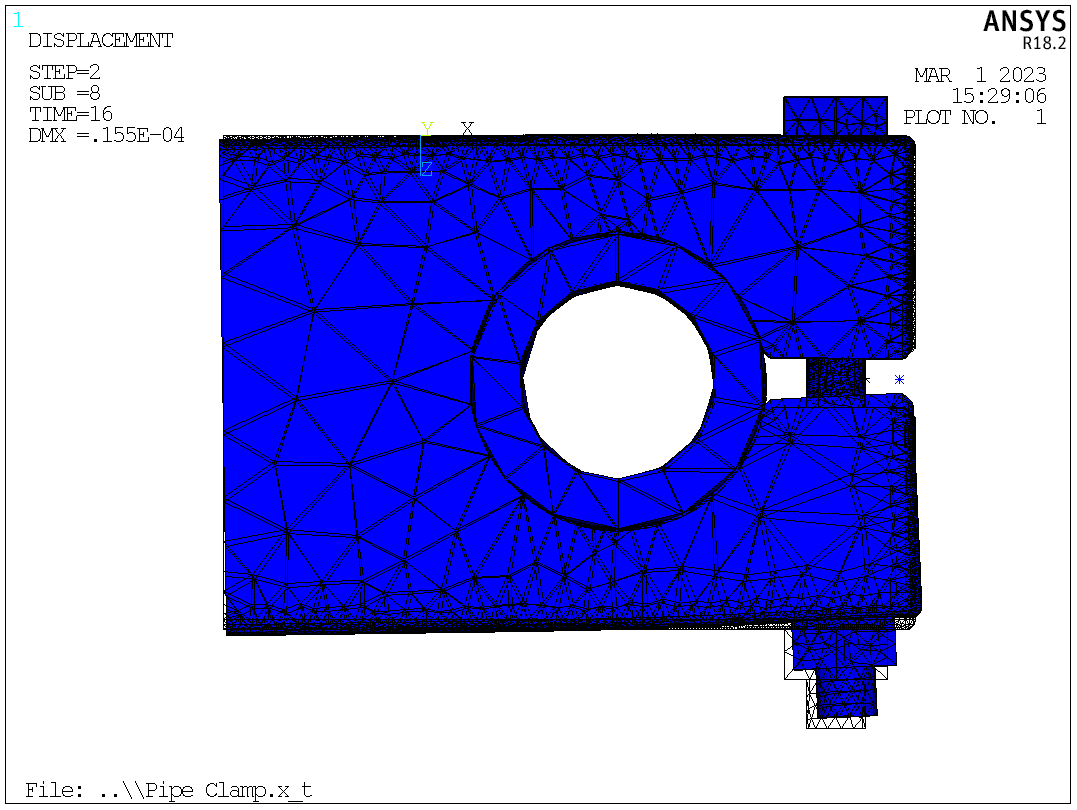
The overall deformation of the assembly.
By excluding the chamfers and adjusting the normal contact stiffness factor and coefficient of friction, I believe further refinement of the results and better computation speed could be reached.
Note (2026): The fillets in the geometry should be safely ignored in this example.
 Xutao Sun